Who it's for
A queue system for service centers and repair shops
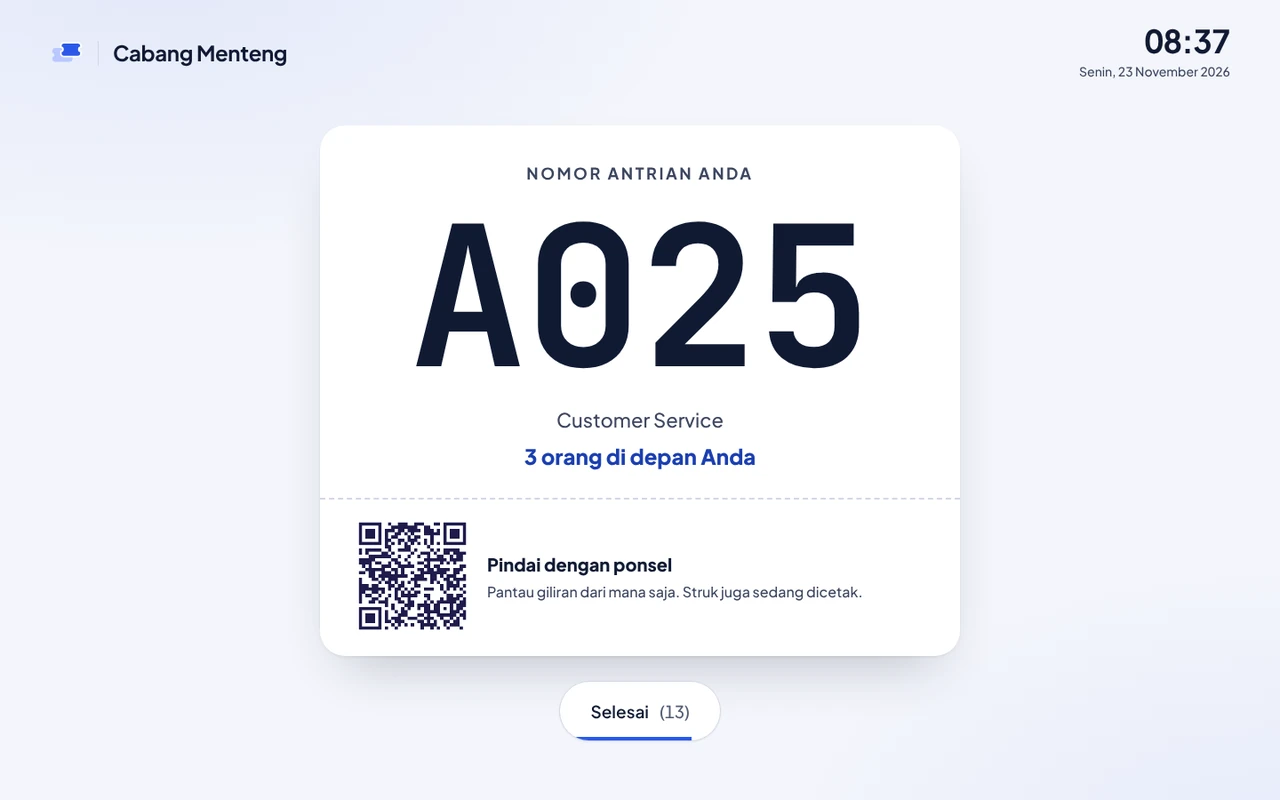
Service center customers often wait a long time without knowing when they'll be called, so they hover by the service desk. With Antrila they can leave and only come back when their turn is near.
The situation
The problems that come up most
- 1Customers crowd around the service desk for fear of missing a call.
- 2Customers waiting for a unit to be finished mix with new arrivals in one queue.
- 3There's no picture of busy hours for scheduling technicians and cashiers.
Antrila
How Antrila helps a service center
Wait anywhere
Customers track their number on their phone and come back when the page suggests heading back or a reminder they asked for arrives.
Order-type services
For pickups of finished units or orders, the number is called when ready. This service type deliberately shows no position or estimated minutes.
Works with your cashier app
Other apps on the branch network, such as a point-of-sale app, can be paired to take numbers and call them.
Ratings after service
Customers can leave stars and a note when they're done. Results feed the reports by counter and staff member.
An illustration
An example service-center setup
You name your own services and counters; this is only an illustration.
| Service | Counter |
|---|---|
| Consultation and unit intake | Desks 1 and 2 |
| Finished-unit pickup | Desk 3 |
| Payment | Cashier |
Good to know: Antrila manages turns, not repair work. Repair-stage updates only appear if your service app is connected, and depend on that app.
FAQ
Questions from this situation
Can customers waiting for a unit go home first?
Yes. For order-type services the number is called when ready, and customers follow it on their phone without waiting on site.
Do I need a special kiosk?
No. The kiosk runs on an ordinary computer or tablet on the branch network, through the app or a browser. A ticket printer is optional because the QR also shows on screen.
Other situations